
Short answer: yes, if you need dense, artist-style quad topology on characters, hard-surface props and hero assets, and you can absorb a higher entry price than Meshy or Tripo. Rodin's 3D-native pipeline and part-level editing (BANG) genuinely reduce cleanup time on detail-heavy models. It's a weaker fit if you just need cheap, high-volume background props - Meshy and Tripo are less expensive for that job.
What is Hyper3D Rodin?
Hyper3D Rodin is an AI 3D model generator built by Deemos, a company founded in 2020 that previously shipped a 2D image generator (WAND) before pivoting to generative 3D. Rodin converts a text prompt, a single photo, or several reference images into a textured 3D mesh you can export for games, product design, 3D printing, film and XR work.
What sets Rodin apart technically is that it doesn't lift geometry from 2D images the way many competing tools do. Deemos built a 3D-native pipeline - a proprietary latent-diffusion model called CLAY paired with a representation called 3DShape2VecSet - that generates geometry directly in 3D space. The practical result the company and independent reviewers point to is cleaner, more watertight surfaces and artist-style quad topology that needs less retopology work than mesh output derived from 2D multi-view reconstruction.
Rodin first appeared as a research preview at GDC and SIGGRAPH in 2024, opened to the public as Rodin Gen-1 in May 2025, and was followed by Gen-2 in October 2025. The current flagship, Rodin Gen-2.5, shipped in the first half of 2026 and is the model this review is based on. Deemos describes it as a "controllable AI-to-3D workflow system" rather than a one-click generator - the emphasis is on giving artists control (bounding boxes, part-level edits, quality tiers) throughout generation, not just at the prompt stage.
What the output actually looks like
These are official example renders from Hyper3D's own product pages, generated from a photo (image-to-3D) with no manual retouching. They're representative of the density and surface detail Rodin is aiming for on hard-surface and character-adjacent subjects.

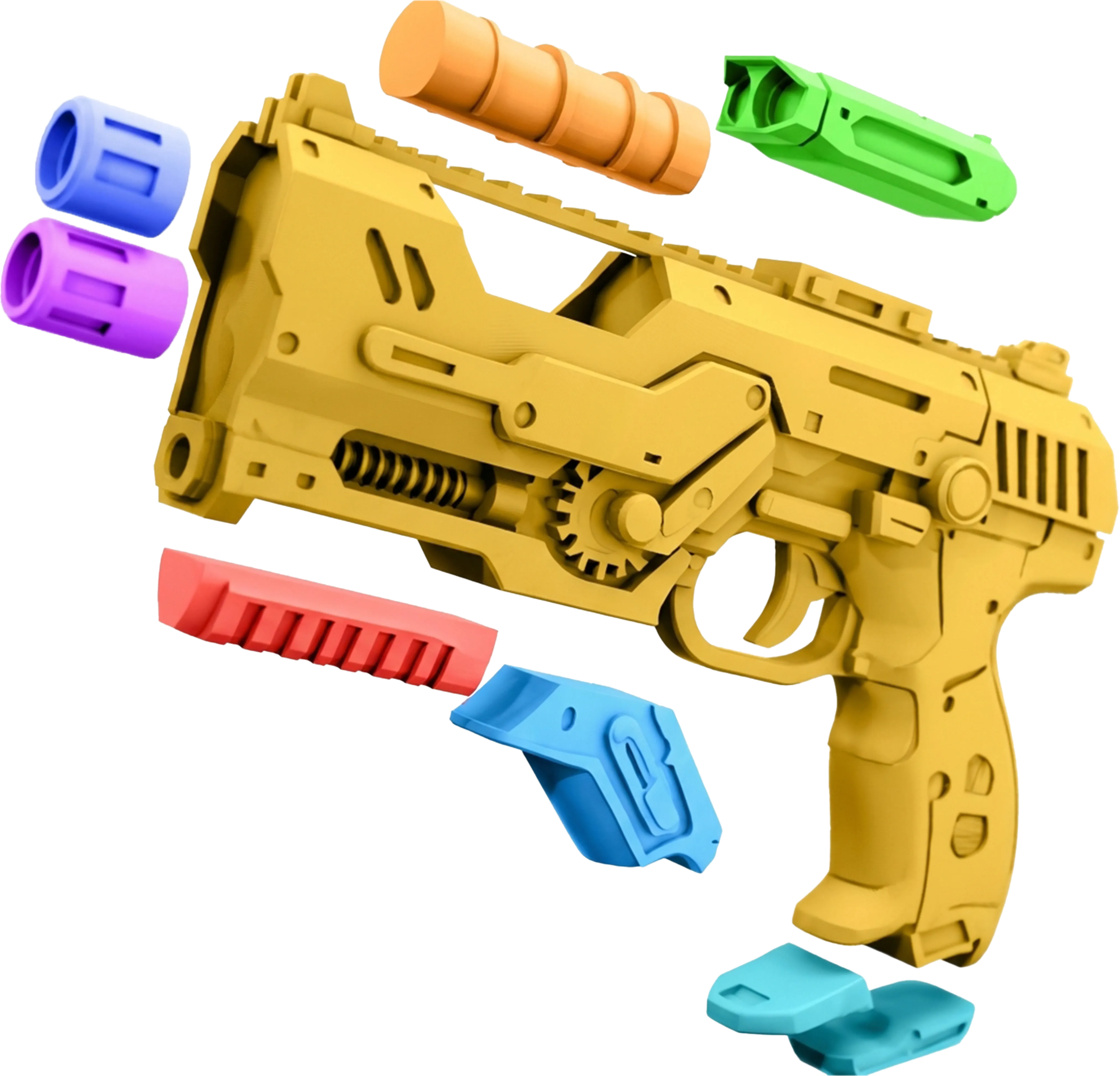

Sample outputs and comparison graphic. Image credit: Hyper3D.
Where the quality holds up
Rodin's biggest strength is topology. Because geometry comes from a native 3D model rather than a 2D-to-3D lift, surfaces are cleaner and the mesh is generally more animation-friendly out of the box, which matters for characters, creatures and anything that will deform. Gen-2.5 can push detail-heavy outputs to 10 million-plus polygons when you select a higher "Adaptive Thinking Effort" tier, and the newer 3D-native texturing approach paints color directly on the surface instead of projecting multiple 2D views, which reduces the seams that plague some competing tools.
Where it breaks down
Speed and detail are a trade-off you control directly: the fastest "Extreme-Low" effort tier can return a model in a few seconds, but the highest-fidelity tiers take longer and cost more credits. Smart Low-Poly - Rodin's automatic retopology into a lighter, real-time-friendly mesh - is still labeled beta, so treat it as a useful starting point rather than a finished game-ready asset. And while the platform is genuinely powerful, its control surface (ControlNet, BANG decomposition, quality tiers, Faithful vs. Creative modes) is a steeper learning curve than a single-button generator like some competitors.
Generation controls and quality tiers
Rodin exposes more dials than most competitors, which is both its strength and its learning curve.


Five Adaptive Thinking Effort levels (Extreme-Low to Extreme-High) trade generation speed for fidelity - Deemos' own demos show batches of ten 1-million-polygon models generating in around four seconds on the fastest tier. 3D ControlNet lets you constrain a generation with a bounding box, a voxel grid or a point cloud instead of relying on the prompt alone. BANG is Rodin's part-decomposition and part-level editing tool: it can automatically segment a model into components, or you can manually mark parts for targeted regeneration - useful for fixing one broken element without re-rolling the whole asset. Faithful and Creative modes decide how literally the model should follow a reference image versus reinterpreting it.
How it works, step by step

1Describe it or upload it
Type a prompt, or upload one or several reference images of the same object from different angles. Multi-image input generally produces a more accurate silhouette than a single photo.

2Choose a quality tier and generate
Pick an Adaptive Thinking Effort level, add ControlNet guidance if you need precise proportions, and generate. Redos are included with every paid plan if the first result misses the mark.

3Edit, texture and export
Use BANG to fix or swap individual parts, apply AI texturing or an HDRI environment, then export to GLB, GLTF, USDZ, FBX, OBJ or STL - or bring it into Blender, Unity, Unreal, Maya, 3ds Max, Cinema 4D or Omniverse through Rodin's plugins.
Screenshots: Hyper3D.
Features that actually matter
Seconds-to-minutes generation
Five effort tiers let you trade speed for detail on the fly, from near-instant blockouts to 10M+ polygon results.
Quad-mesh topology
3D-native generation targets artist-style edge flow, cutting down retopology work versus 2D-lifted meshes.
3D ControlNet
Bounding box, voxel and point-cloud guidance for proportions the prompt alone can't reliably hit.
BANG part editing
Segment a model into parts and regenerate just the piece that's wrong, instead of the whole asset.
3D-native texturing
Colour is painted on the surface directly rather than projected from multiple views, which reduces seams.
OmniCraft toolkit
AI texture generation, HDRI environment creation, image remix/enhance and SVG-to-3D in one workspace.
API & MCP
REST API on Business plan and up, plus MCP support to plug Rodin into agent workflows (Claude, ChatGPT and others).
ChatAvatar
A companion product for production-ready rigged avatars with facial controls and PBR materials - character work Rodin's core generator doesn't specialise in.
Print-ready exports
STL export alongside GLB, GLTF, USDZ, FBX and OBJ covers engines, AR viewers and slicers in one download.
Who should use Rodin - and who shouldn't
Practical use cases
- Game studios and indie devs who need hero or mid-detail props with topology clean enough to skip a full retopology pass.
- Product and industrial designers prototyping hard-surface forms - vehicles, electronics, packaging - before committing to CAD.
- 3D printing enthusiasts who want dense, detailed sculpts rather than simplified low-poly output.
- Studios building an asset pipeline around the API, where Business-tier automation and batch generation pay off at volume.
- Concept and previs artists using ControlNet-guided generations as a fast 3D base for further sculpting.
Worth it for
Teams and freelancers who will actually use the control surface - ControlNet, BANG, quality tiers - and who value topology and detail enough to justify a $30-plus monthly entry price.
Not worth it for
- High-volume background-prop generation - Meshy and Tripo are cheaper per asset at that scale.
- Casual or one-off use - the free plan's pay-per-download credits and 10-asset cap suit evaluation, not ongoing work.
- Rigged, expressive characters - that's what Deemos built ChatAvatar for, as a separate product.
- Anyone who needs the API without a Business subscription - API access starts at $120/month.
Hyper3D Rodin pricing (2026)
Rodin's pricing model is a little different from most rivals: the Free plan charges per credit only when you download a result (generation and redo previews are free), while paid plans bundle an estimated monthly model allowance into a flat subscription instead of a hard credit count.
| Plan | Price | Est. output / month | Redos included | Commercial use |
|---|---|---|---|---|
| Free | $0 - pay $1.50 per credit on download | 10 one-time starter credits, no monthly refresh | Free retries before you accept a result | Rodin/Hyper3D branding on outputs; 10 private assets max |
| Creator POPULAR | $30/mo · $24/mo billed yearly ($288/yr) | ~60 models | Geometry x20, Material x6 | Unlimited export and any use; unlimited private assets |
| Business | $120/mo · $96/mo billed yearly ($1,152/yr) | ~416 models | Geometry x50, Material x15 | Everything in Creator + full API access, ChatAvatar commercial license |
| Education | Discounted (amount verified at sign-up) | Creator-tier benefits | Same as Creator | Requires student/educator verification |
| Enterprise | Custom | Custom | Custom | Private/on-prem deployment, custom LoRA fine-tuning, SSO, volume discounts |
Creator is the plan most individual users land on - it's the tier where branding disappears, exports and private assets become unlimited, and Deemos states you get "unlimited export and any use" for what you create. Business exists mainly for teams that need the API and higher-volume automation, not for the extra model allowance alone. Prices, credit terms and plan features were verified against Hyper3D's own pricing page on September 16, 2026 - confirm current figures on the live page before buying, since AI 3D pricing in this category has changed more than once in 2026.
The free plan and its limitations
Rodin's free tier is a genuine no-card trial: you can generate and preview models for free and only pay ($1.50/credit) when you actually download a result you're happy with. The catches are real, though: outputs carry visible Rodin/Hyper3D branding until you upgrade, you're capped at 10 private assets, credits don't refresh monthly, and there is no API access on the free plan.
API availability, key setup and pricing
Rodin's REST API covers text-to-3D, image-to-3D and related tasks, authenticated with a bearer token against https://api.hyper3d.com/api/v2. Full API access is included from the Business plan ($120/month); Free and Creator do not include API access.
How to obtain an API key
- Create a Hyper3D account and log in at hyper3d.ai.
- Upgrade to Business or Enterprise — the API is gated behind these tiers.
- Open the API dashboard in your workspace.
- Generate a new API key and store it securely — treat it as a secret you never expose in client-side code.
API pricing (approximate credit cost per task)
| Task | Approx. credit cost | Notes |
|---|---|---|
| Rodin Gen-2.5 base generation | ~0.5–1 credit | Varies by Adaptive Thinking Effort tier selected |
| Extreme-High effort / HighPack add-on | +0.5–1 credit | 4K textures and highest-detail geometry cost more |
| Rodin Gen-2 base generation | ~0.5 credit | Older model, cheaper per task |
| BANG / texture tasks | ~0.5 credit | Per part-edit or retexture task |
| Status, download & balance checks | Free | No credit cost for these housekeeping calls |
Independent documentation summaries we reviewed show slightly different exact figures for Gen-2.5 credit costs, so treat the table above as an approximate range and confirm current numbers in your own API dashboard before budgeting a production workload. Business-plan API rate limits run 120–240 requests per minute depending on account tier; Enterprise gets a custom, contracted limit. Rodin's models are also available pay-per-call through third-party inference hosts such as fal.ai, which lists roughly $0.40 per generation (3x that for the HighPack add-on) - a useful way to test the model without a Business subscription, though that pricing is set by the third-party host, not Hyper3D directly.
How to integrate the API
Requests are authenticated with a bearer token in the Authorization header, and file/image inputs are sent as multipart form data. A minimal example:
curl --request POST 'https://api.hyper3d.com/api/v2/rodin' \
  --header "Authorization: Bearer $RODIN_API_KEY" \
  --form 'prompt=a weathered leather messenger bag, game prop' \
  --form 'tier=Gen-2.5-Medium'
Generation is asynchronous: you submit a task and then poll a status endpoint (or use a webhook, where supported) until the mesh is ready to download. Full endpoint and parameter documentation lives at docs.hyper3d.ai.
iOS and Android apps
Hyper3D Rodin does not currently offer an official native iOS or Android app. It operates entirely as a responsive web workspace at hyper3d.ai, which works in a mobile browser but is not a dedicated app-store download. If a native app becomes available, we'll update this page.
Sign-up, sign-in and login
- Go to the official site. hyper3d.ai in a desktop or mobile browser. Never enter Rodin credentials on any other domain.
- Create an account from the sign-up/log-in screen using an email address (verify your inbox if prompted).
- Start on the Free plan — no card is required to generate and preview your first models.
- Upgrade in the workspace from Settings → Billing (or the pricing page) once you need unbranded output, unlimited private assets, or the API.
Ethical, privacy and security considerations
- Free-tier branding. Free-plan output carries visible Rodin/Hyper3D branding, and you're limited to 10 private assets - don't treat the free tier as a source of unbranded client-ready deliverables.
- Watermarks. Branding appears on Free-plan output; we found no evidence of a visible watermark on paid-plan exports, but generate one test asset on your target plan and inspect it before committing to a batch, since Hyper3D's own docs don't spell this out in a single place.
- Commercial-use rights. Deemos states Creator and above get "unlimited export and any use," and Business adds a commercial license for ChatAvatar specifically. Free-plan assets carry branding and a hard 10-asset cap, so they're not appropriate for client-confidential or exclusive commercial work.
- Copyright when uploading images. Image-to-3D only accepts images you have the rights to use. Uploading a copyrighted photo, someone else's concept art, or a real person's likeness without permission creates legal exposure that is yours, not Hyper3D's.
- Data retention. Hyper3D's privacy policy states email addresses are retained while your account is active, user-generated content is retained until account deletion, and device/cookie IDs expire after 21 days. You can request account and data deletion by emailing hello@deemos.com.
- Training use of your inputs. The published privacy policy does not clearly state whether prompts or uploaded images are used to train future models beyond generating your immediate result - if that matters for your work, ask Hyper3D directly or review the current policy in full before uploading sensitive material.
- Compliance. Hyper3D's site displays ISO and GDPR compliance badges, and Enterprise plans add SSO (SAML 2.0), role-based access control and audit logging for regulated teams.
Video walkthroughs
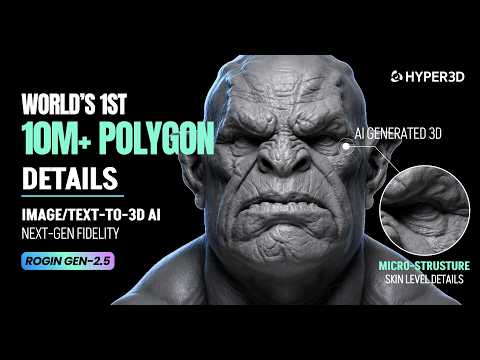
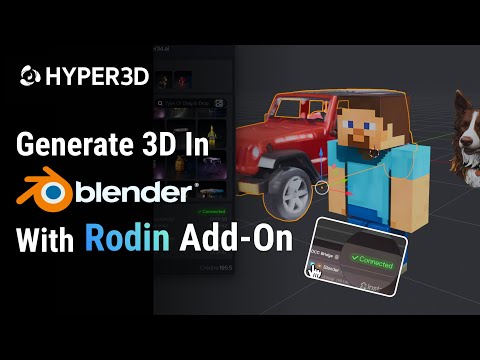
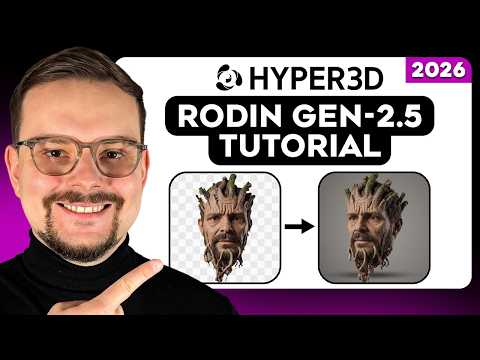
Two official videos from the Hyper3D Rodin YouTube channel plus one independent tutorial, covering the Gen-2.5 launch, the Blender plugin, and a hands-on walkthrough of turning an image into a model. Thumbnails link out to YouTube; nothing loads from YouTube until you click.
Pros and cons
What we liked
- Genuinely strong topology - 3D-native generation means less retopology work on detail-heavy assets
- Very fast at the lower effort tiers, with 10M+ polygon output available at the top end
- BANG part-level editing fixes one broken component without re-rolling the whole model
- 3D ControlNet gives real control over proportions, not just prompt wording
- Six export formats plus first-party plugins for Blender, Unity, Unreal, Maya, 3ds Max, C4D and Omniverse
- Free plan lets you preview and judge quality before spending anything
- Clear commercial rights ("unlimited export and any use") from the Creator plan
- ISO and GDPR compliance badges, with SSO and audit logging on Enterprise
What held it back
- Entry price ($30/month) is higher than Meshy ($20) or Tripo ($20) for a comparable individual plan
- No API access until the $120/month Business plan
- Free-plan output carries visible branding and is capped at 10 private assets
- No official iOS or Android app - web workspace only
- Smart Low-Poly retopology is still in beta
- More control surface (ControlNet, BANG, effort tiers) means a steeper learning curve than one-click generators
- Character work is pushed to the separate ChatAvatar product rather than handled natively
- Third-party summaries of API credit costs don't fully agree - confirm exact numbers before budgeting
Top 10 Hyper3D Rodin alternatives
Prices, credits and rights were checked against each vendor's own pricing page in September 2026. Where a vendor didn't publish a figure clearly, the table says so rather than guessing.
| Tool | Free plan | Starting price | Credits/mo | API | iOS/Android | Commercial rights | Watermark | Best for |
|---|---|---|---|---|---|---|---|---|
| Meshy | Yes — 100 credits | $20/mo | 1,000 (Pro) | Pro+ | Yes | Private & commercial on paid; CC BY 4.0 on free | None found | All-round text/image to 3D, texturing, rigging, print-ready output |
| Tripo AI | Yes — 200 (non-commercial) | $20/mo | 3,000 (Pro) | Separate Tripo API | Yes | Private & commercial on Pro+; public/non-commercial on free | Not published | Fast image-to-3D, strong mesh quality at volume |
| CSM.ai | Yes — 10 credits | $20/mo (Maker) | 100 (Maker) | All tiers, incl. free | Not published | Private & customer-owned on paid; CC BY 4.0 on free | Not published | Game-ready kits and retopology in one pass |
| Sloyd | Yes — 1 generation/day | $15/mo (Plus) | Unlimited base gens + 50 premium credits | Separate paid API | Not published | Personal use only on free; commercial from Plus | Not published | Parametric, game-engine-ready props at scale |
| Spline | Yes, but no AI 3D generation on the free tier | $60–70/mo (Max, for AI 3D) | 10,000 AI credits (Max) | Not published | Web export to iOS/Android | Included on Max and above | Web exports watermarked below Hobby tier | Interactive 3D design plus AI generation in one editor |
| Polycam | Yes — up to 150 images/model | $30/mo ($12.50/mo billed yearly) | Image-limit based, not credits | Business+ | Yes | Fine for individuals on Basic+; team licensing on Business | Free video exports watermarked; removed from Basic up | Photo/LiDAR scanning and real-world object capture |
| Kaedim | No public free tier | Contact sales | Custom | By arrangement | Not published | By contract — studio/production focus | Not published | Production-grade game assets for studios |
| Masterpiece X | Yes — 250 credits at signup | $10.99/mo (750 credits) | 750–3,000 by tier | Early access, sign-up required | Not published | Check current terms on signup | Not published | Character-leaning generation for creators |
| Alpha3D | Limited trial | From ~€5/mo (verify current USD price) | Not published | Not published | Not published | Check current terms on signup | Not published | E-commerce product model generation at scale |
| Blender (manual) | Free forever, open source | $0 | n/a | n/a | No | Full control — no AI licensing to consider | None | Correct topology and total creative control |
How to read this table: if you're generating a high volume of simple background props, Meshy or Tripo will be cheaper per asset than Rodin. If topology and detail matter more than price - hero assets, characters bound for a rig, or hard-surface work headed for a close-up render - Rodin's quad-mesh pipeline is worth the higher entry cost. If you need to capture a real physical object rather than generate one, Polycam's scanning-plus-AI approach (with genuine mobile apps) is the better fit.
Final verdict: is Hyper3D Rodin worth it?
Main strengths: genuinely cleaner, more animation-friendly quad-mesh topology thanks to a 3D-native pipeline; fast generation with a real speed/detail trade-off you control; BANG part-level editing that saves real time on fixes; strong control tools (ControlNet, Faithful/Creative modes); and clear commercial rights from the Creator plan up.
Main weaknesses: a higher entry price than Meshy or Tripo, no API below the $120/month Business plan, no native mobile app, Smart Low-Poly still in beta, and a steeper learning curve than single-click competitors.
Who should use it: game studios and solo developers who need hero-quality or animation-ready assets, product designers prototyping hard-surface forms, and teams willing to learn Rodin's control surface in exchange for meshes that need less cleanup.
Who should consider an alternative: anyone generating high volumes of simple background props on a tight budget (try Meshy or Tripo), anyone who needs a native mobile app or real-world object scanning (try Polycam), and anyone who needs rigged, expressive characters out of the box (look at ChatAvatar or a dedicated avatar tool).
Is the free version enough? For evaluating quality, yes - you can generate and preview for free and only pay to download. For ongoing work it's not sustainable: branding, a 10-asset cap and no monthly credit refresh push real users toward Creator quickly.
Is the paid version good value? At $30/month, Creator is a fair price if topology quality genuinely saves you cleanup time - reviewers who tested it argue the effective cost per usable asset can end up lower than cheaper tools once you account for less manual fixing. Business only makes sense once you need the API or are generating at real volume.
Start on the free plan and generate the kind of asset you'll actually need - a prop, a character base, a product form. If the topology and detail genuinely save you cleanup time, Creator is an easy call. If you just need volume at the lowest cost, Meshy or Tripo will likely serve you better.
Ready to test it yourself?
The free plan lets you generate and preview models with no card required - you only pay when you download a result you want to keep.
Visit Hyper3D Rodin →Frequently asked questions
Is Hyper3D Rodin free to use?
Yes, with a pay-per-download model: generating and previewing is free, and you're charged $1.50 per credit only when you download a result. The free plan caps you at 10 private assets, adds visible branding to output, and doesn't refresh credits monthly. Paid plans from $30/month remove branding and raise the limits.
What is Rodin Gen-2.5 and how is it different from Gen-2?
Rodin Gen-2.5 is Deemos' current flagship model, released in the first half of 2026. It added Adaptive Thinking Effort (five speed/detail tiers), support for 10 million-plus polygon output, a beta Smart Low-Poly mode, and 3D-native texturing that paints color directly on the surface instead of projecting 2D views. Gen-2, released October 2025, remains the base tier for lower-cost API tasks.
Can I use Rodin models commercially?
From the Creator plan ($30/month) up, Deemos states you get "unlimited export and any use." Free-plan output carries visible branding and a 10-asset cap, so it isn't suitable for client or exclusive commercial work.
What file formats does Rodin export?
GLB, GLTF, USDZ, FBX, OBJ and STL, covering game engines, AR/VR viewers, most DCC tools and 3D-printing slicers.
Does Hyper3D Rodin have an API?
Yes, but only from the Business plan ($120/month) up. Tasks are billed in credits - roughly 0.5–1 credit per Gen-2.5 base generation depending on the quality tier, with add-ons for HighPack textures and part-editing tasks. There's no API access on Free or Creator.
Does Hyper3D Rodin have a mobile app?
No official iOS or Android app exists at the time of writing - Rodin is a web workspace you access through a mobile or desktop browser. Be cautious of unrelated third-party apps using similar names in app stores.
Is the topology good enough for animation?
Better than most AI 3D generators, thanks to Rodin's 3D-native pipeline, which targets artist-style quad edge flow rather than mesh lifted from 2D views. It still benefits from a review pass before rigging, and Smart Low-Poly - the automatic retopology feature - remains in beta.
How long does one model take?
From a few seconds on the fastest "Extreme-Low" effort tier to a couple of minutes at the highest-detail "Extreme-High" tier with 10M+ polygon output. You choose the trade-off per generation.