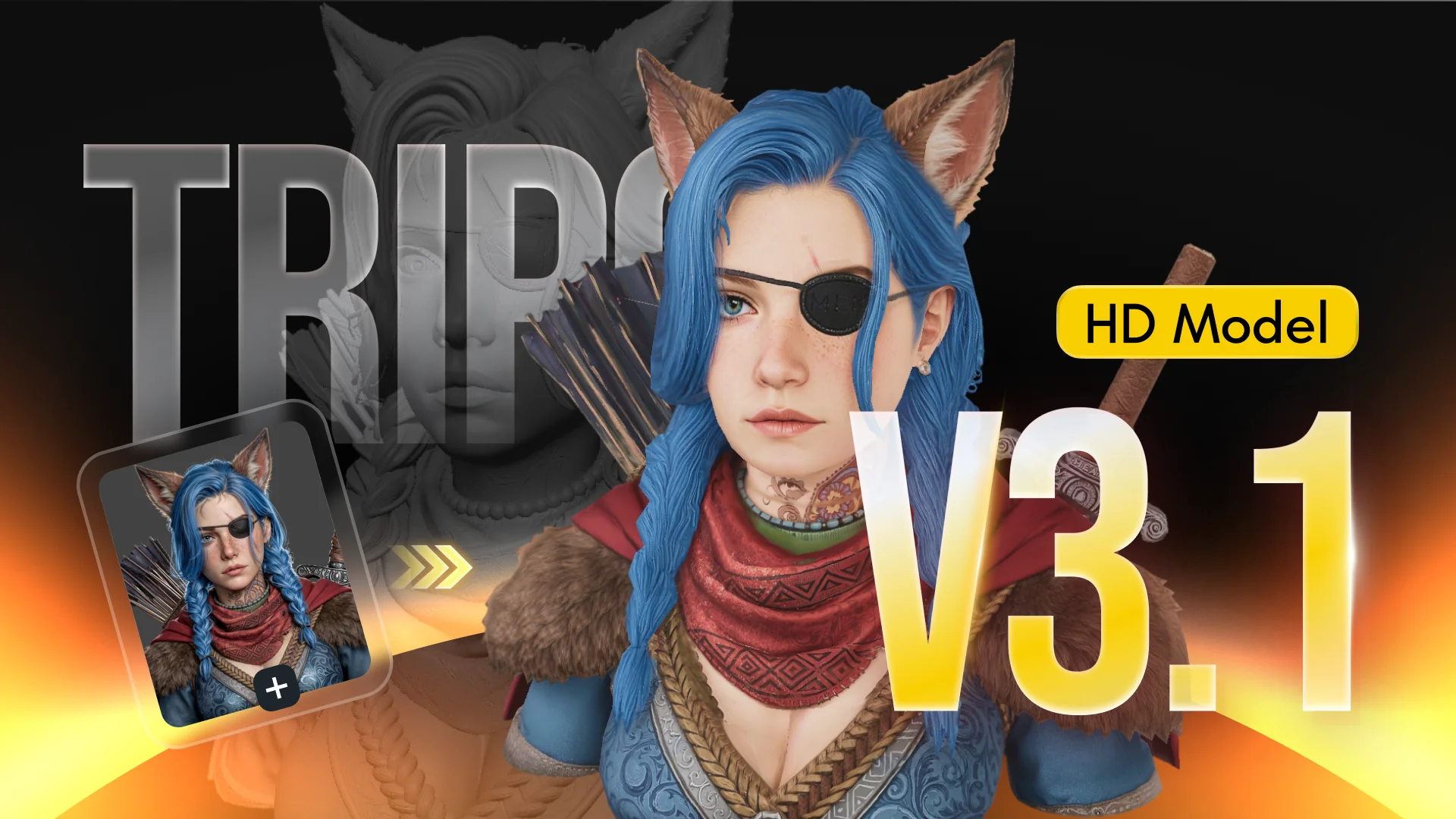
Short answer: yes, if you need volume and speed. Tripo turns around a textured model in seconds rather than minutes, the free tier is usable, and Pro at $19.90/month is priced well against the credits you get. The catch is topology: props and background assets are excellent, but animated hero characters still need real retopology work before they'll deform cleanly.
What is Tripo AI?
Tripo AI is a browser-based 3D generation platform that converts text prompts, single images, sketches and multi-view references into textured 3D models. Its defining characteristic is raw speed - depending on the mode you pick, a model comes back in roughly 2 to 10 seconds, which is an order of magnitude faster than most competitors.
The platform has grown well past a single generator. Tripo Studio adds smart part segmentation, Magic Brush 2.0 for texture painting, auto-rigging with T-pose export, and a Smart Low Poly retopology pass. There's a documented API billed separately from the web plans, plus first-party plugins for Blender, Unity, Unreal Engine and Godot.
The model line-up, decoded
| Model | Speed | What it's for |
|---|---|---|
| Tripo H3.1 NEWEST | Slowest of the three | High-detail hero assets, collectibles, close-up renders and 3D printing. Dense meshes, sharp edges, PBR-ready. |
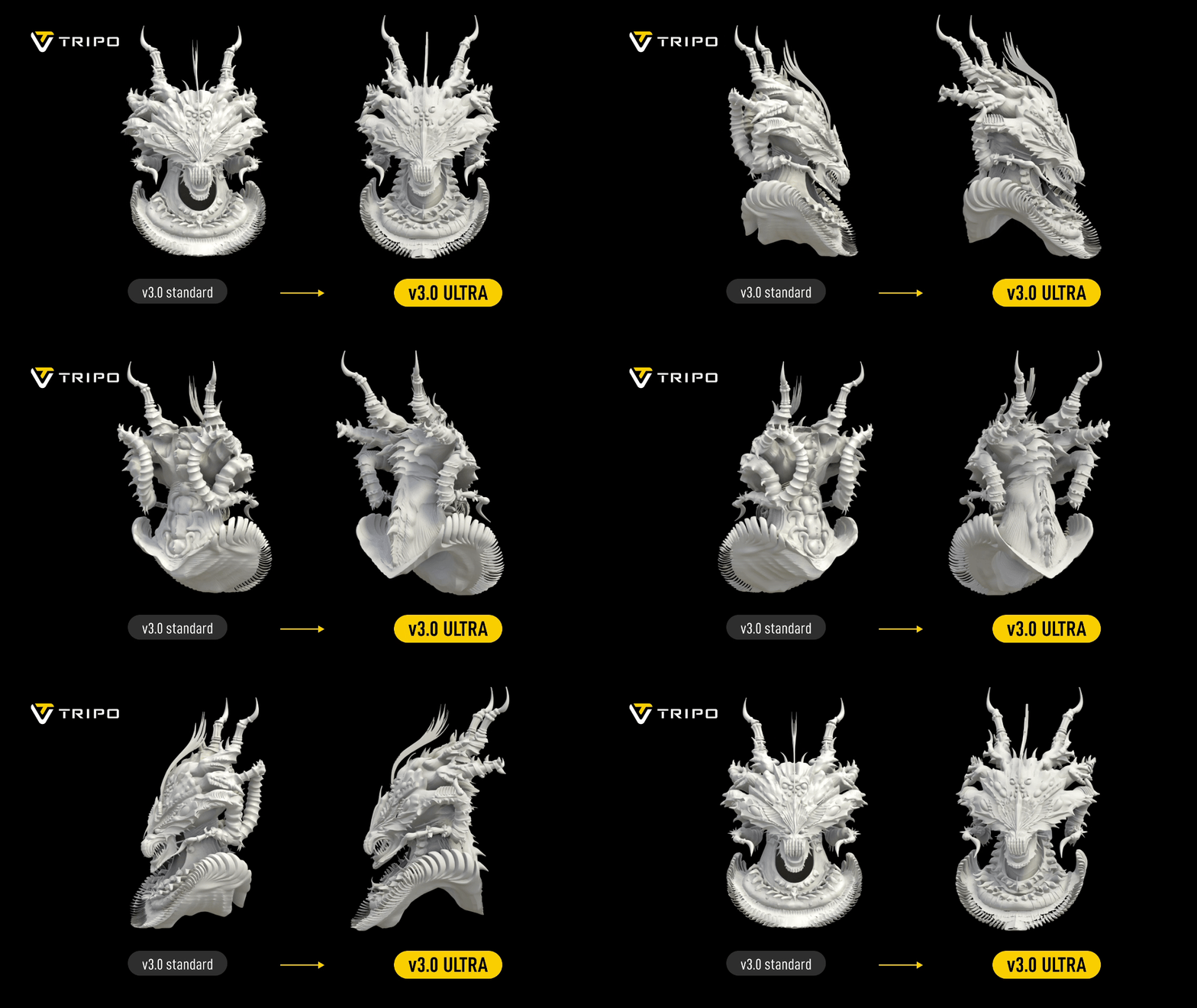
| v3.0 Ultra | Seconds | The all-round workhorse. Up to 2 million polygons in Ultra Mode, accurate textures including embedded text and engravings. |
| Smart Mesh P1.0 | ~2 seconds | Clean low-poly output for game-ready props and bulk asset generation. |
Picking the right one matters more than prompt-wrangling. Reaching for H3.1 on a background crate wastes credits; reaching for Smart Mesh on a hero prop wastes the render.
What the output actually looks like
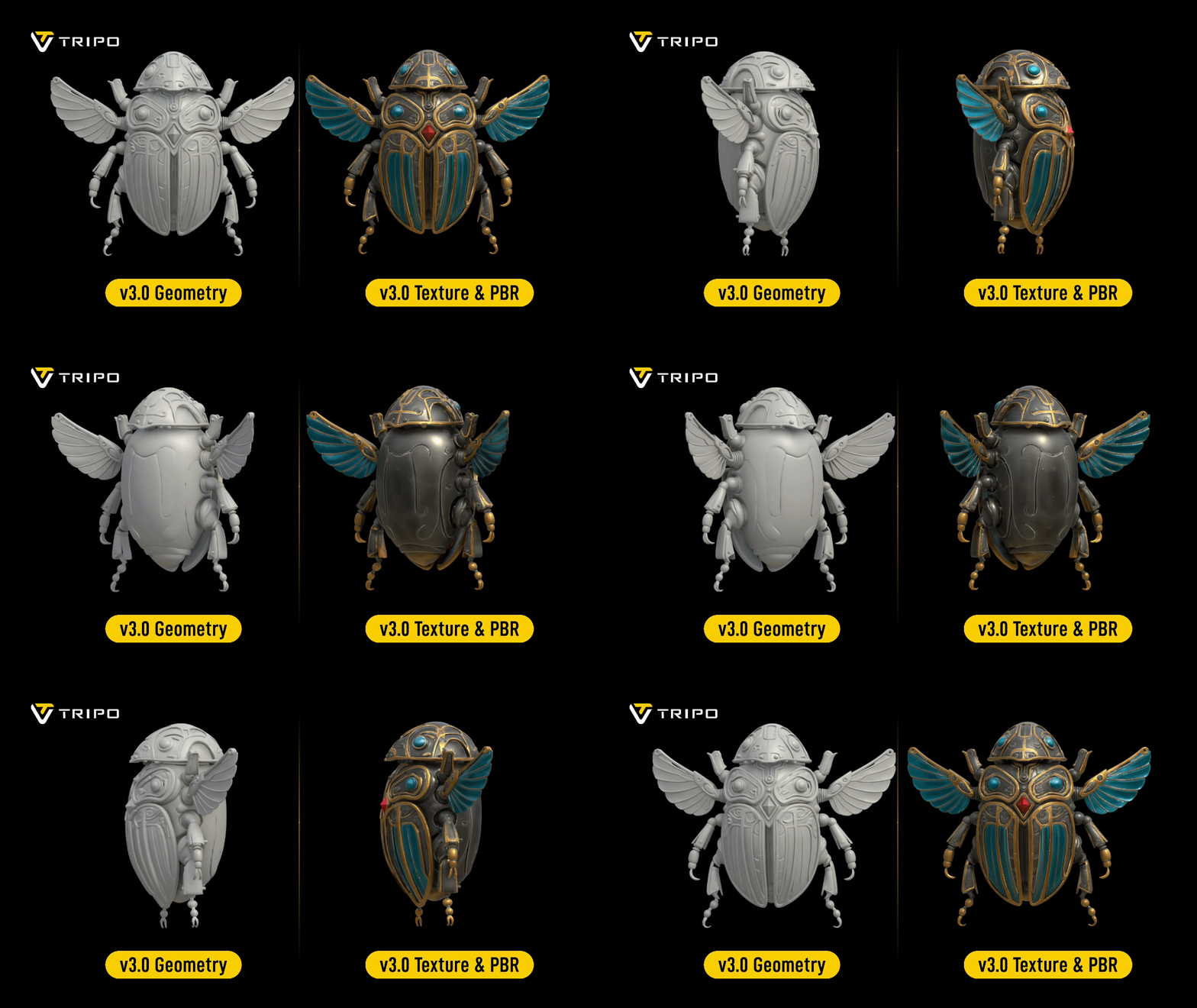
These are turntables of Tripo H3.1 output straight from generation - no cleanup pass, no manual sculpting. Watch the silhouettes and the way light reads across the surfaces.
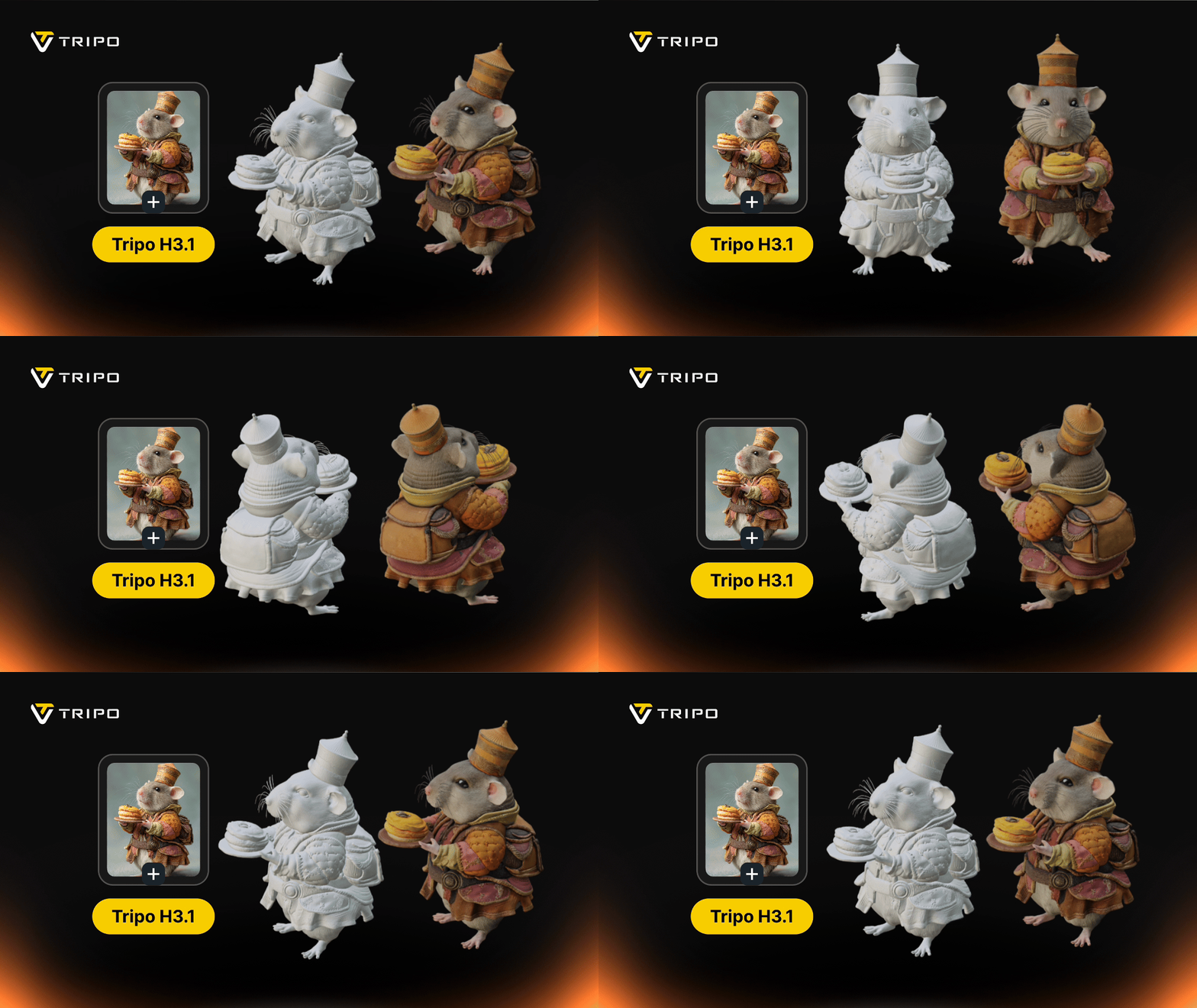
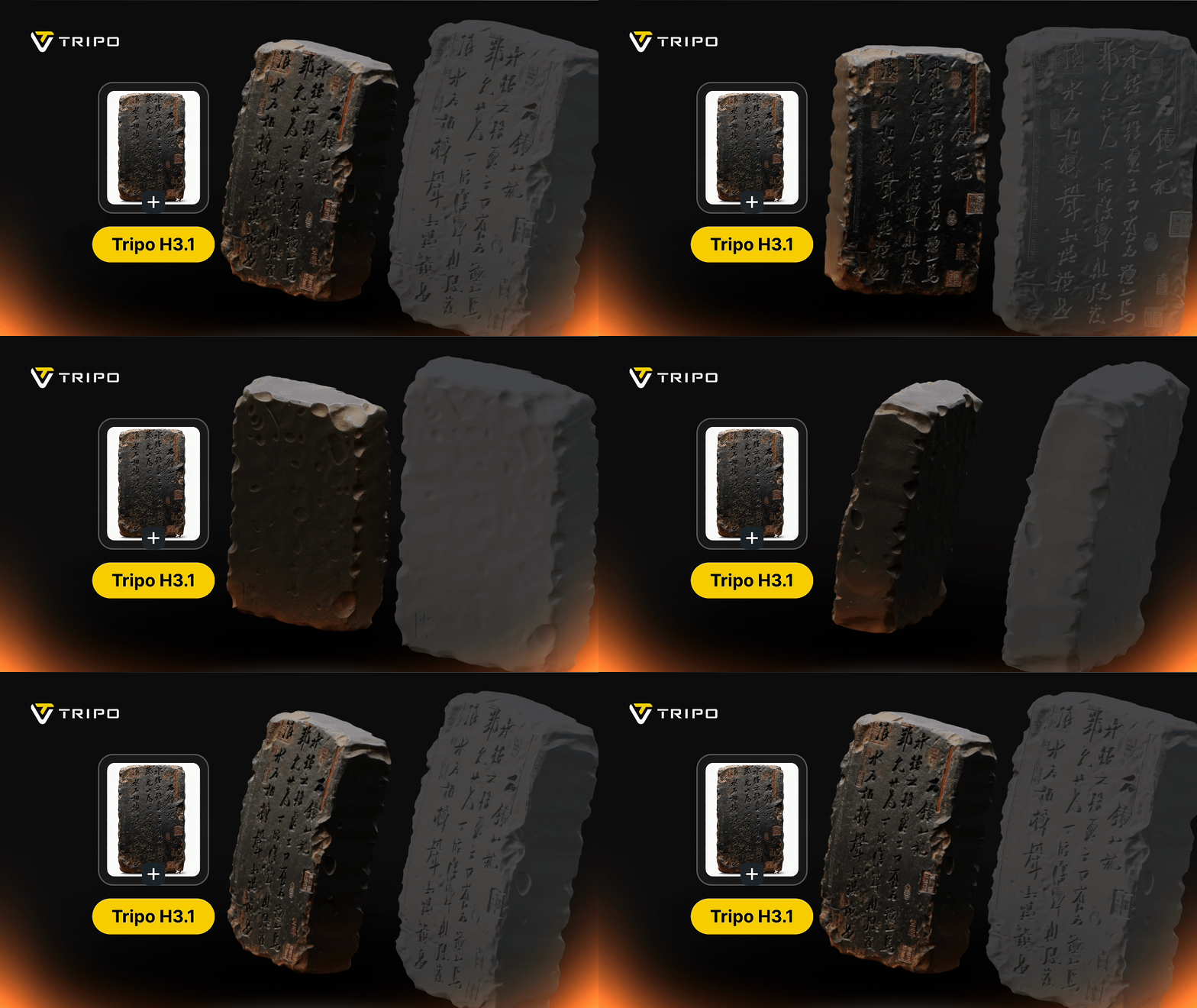
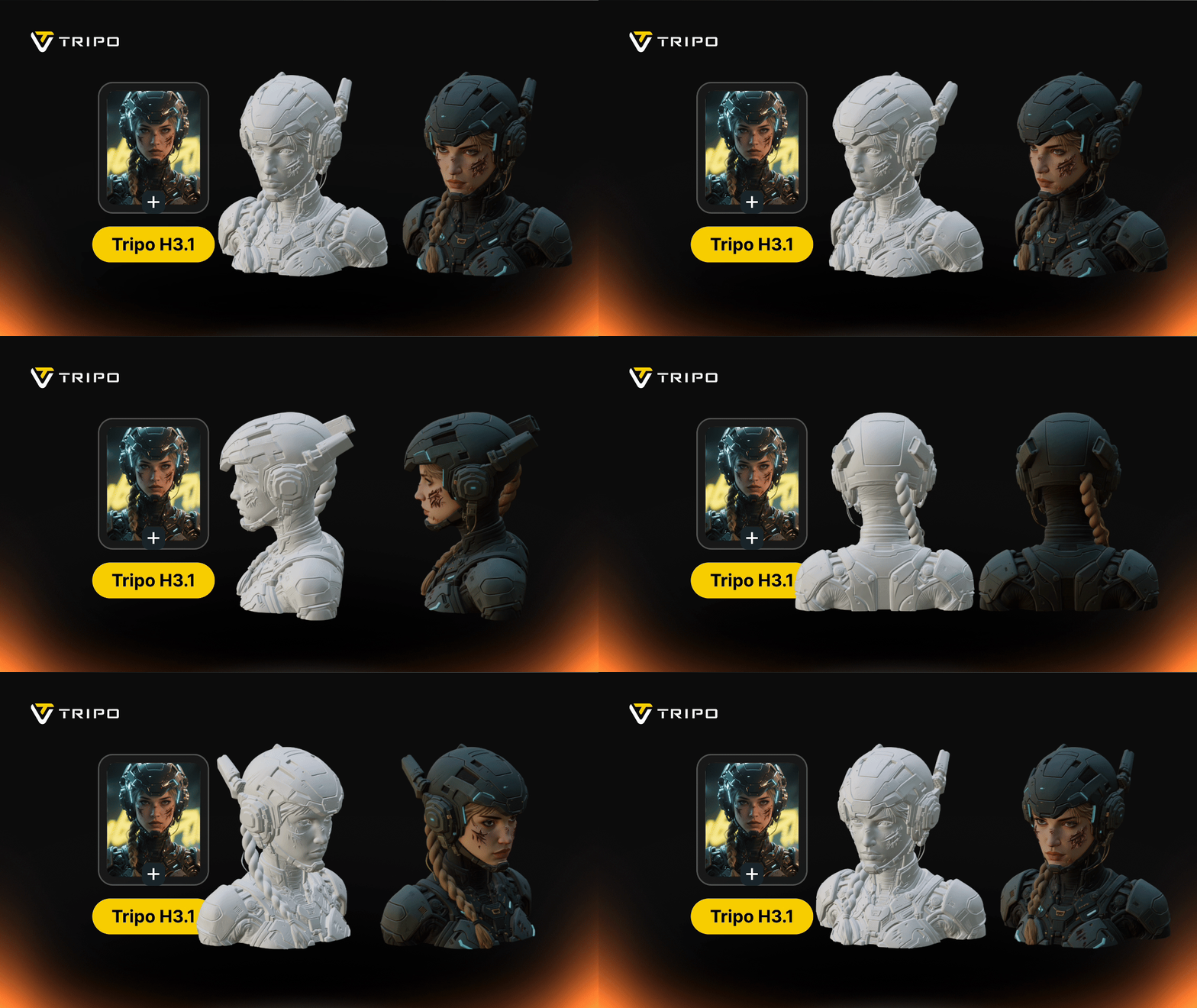
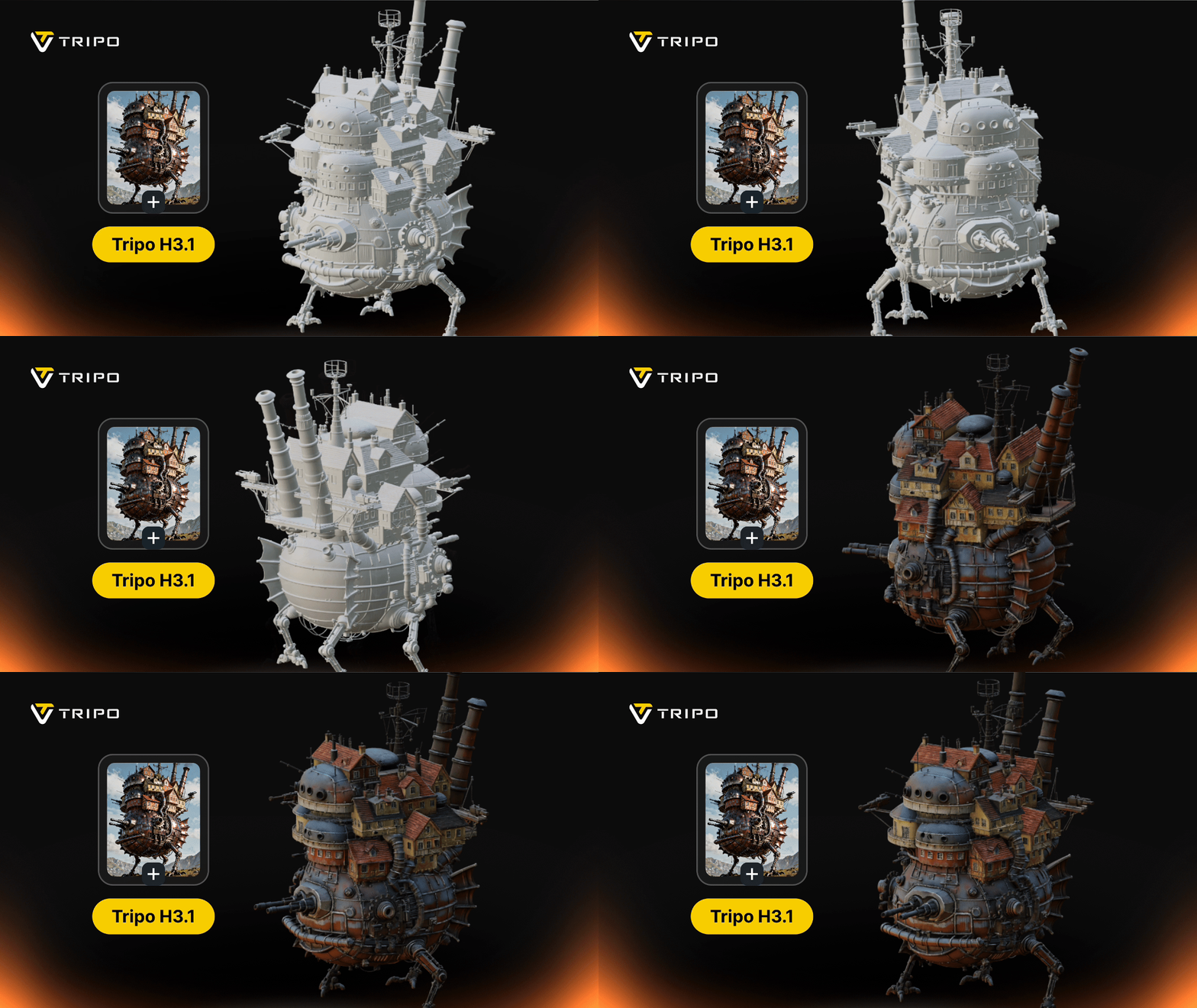
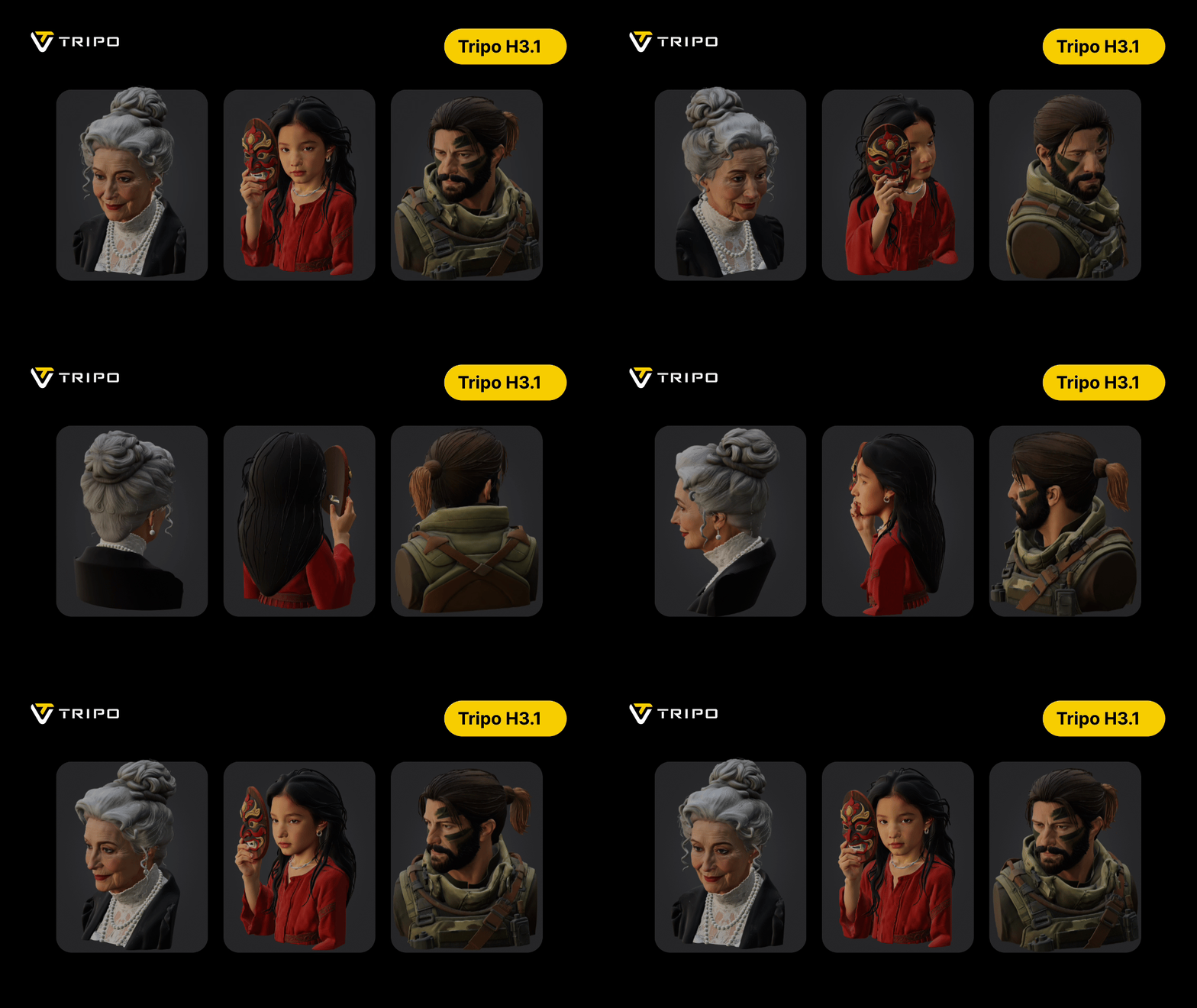
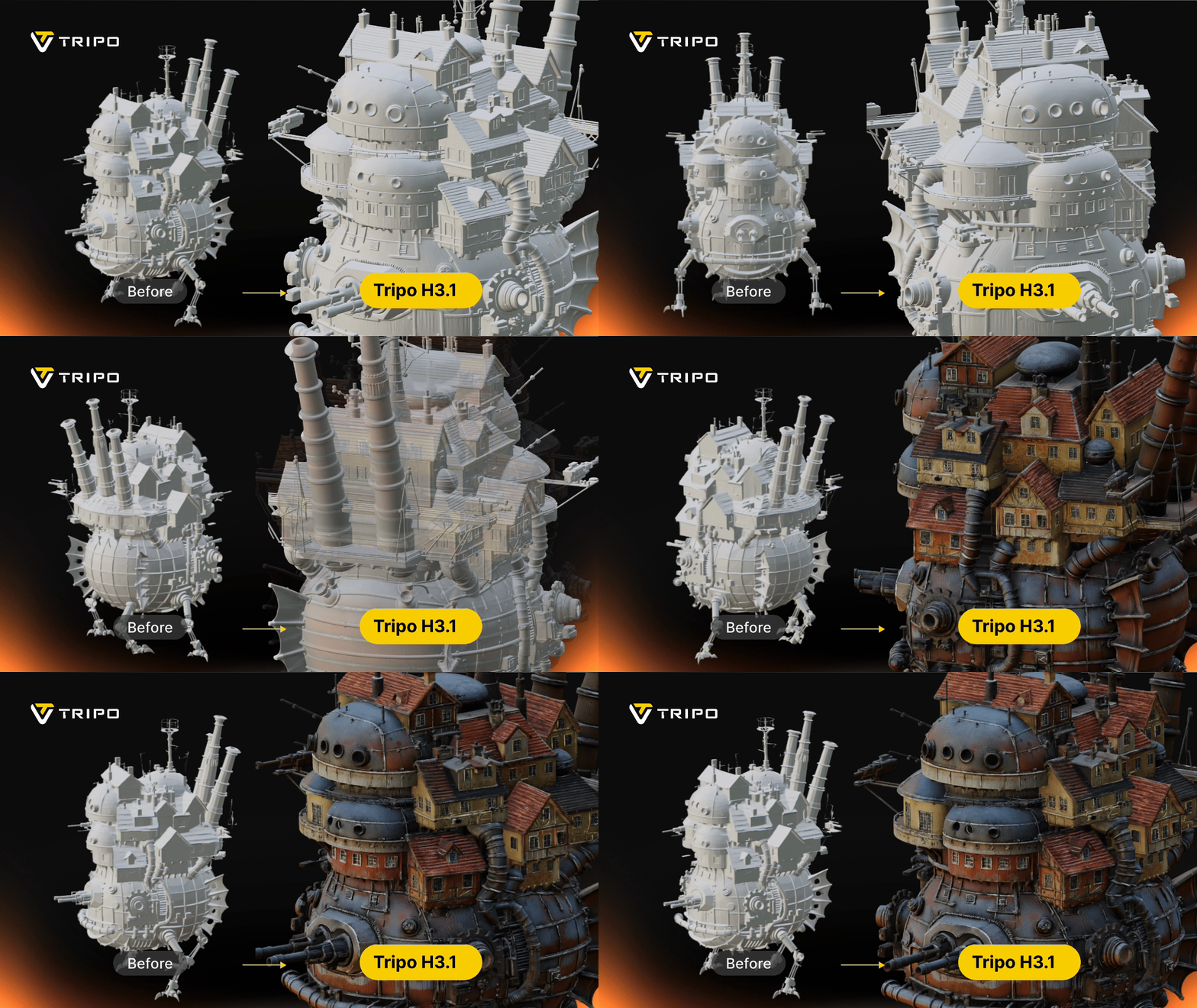
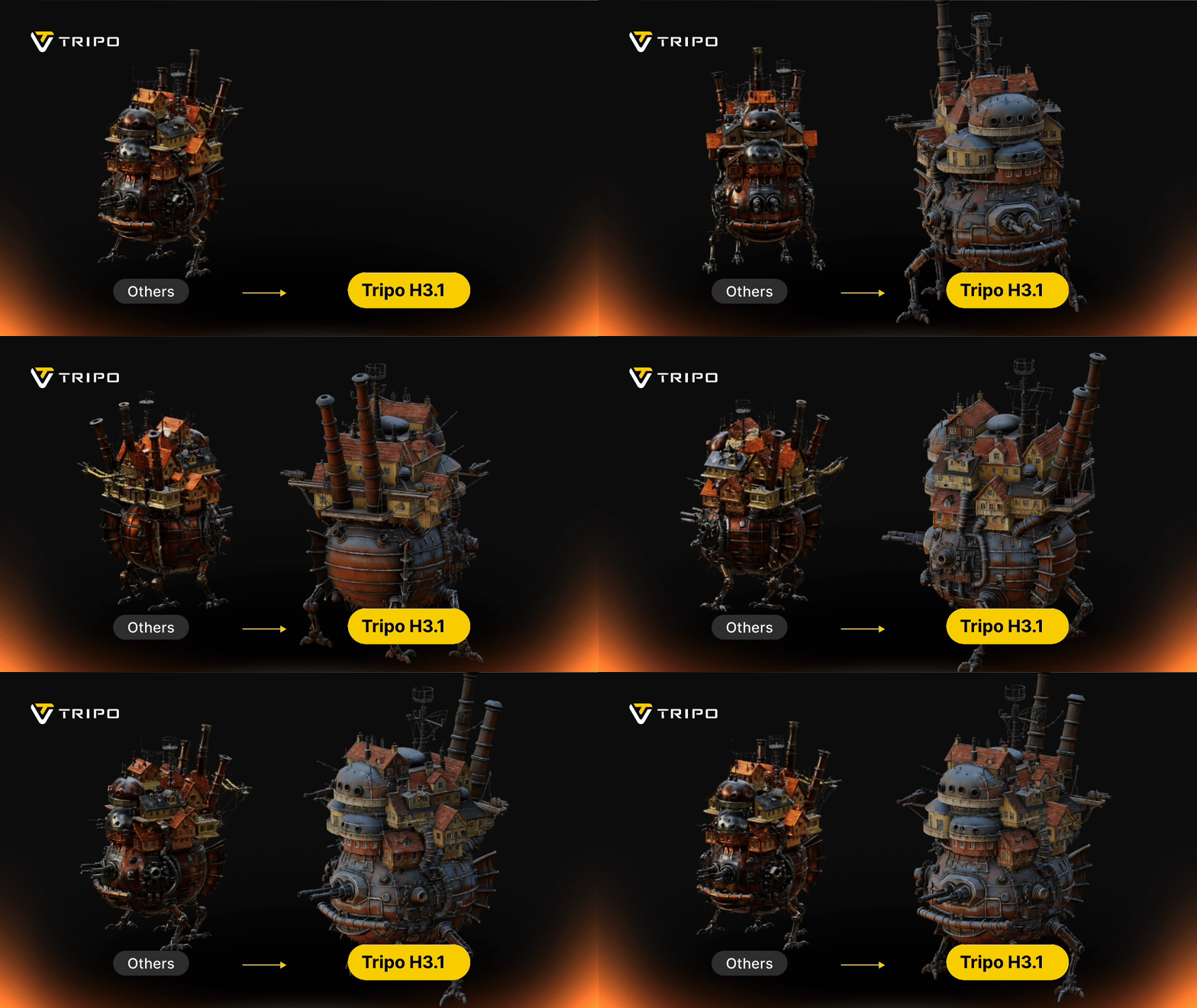

H3.1 sample output. Images: Tripo
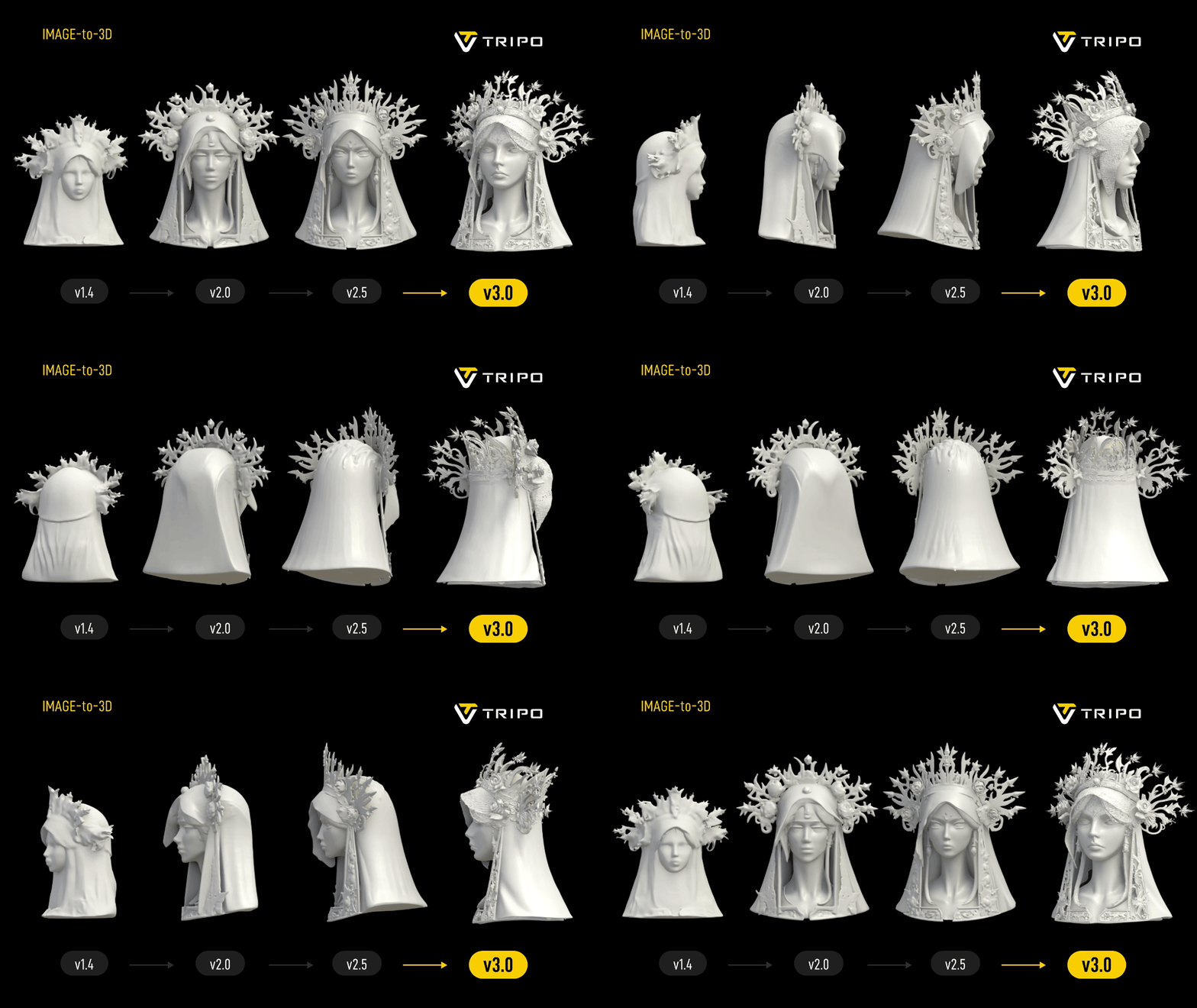
And here's v3.0 Ultra
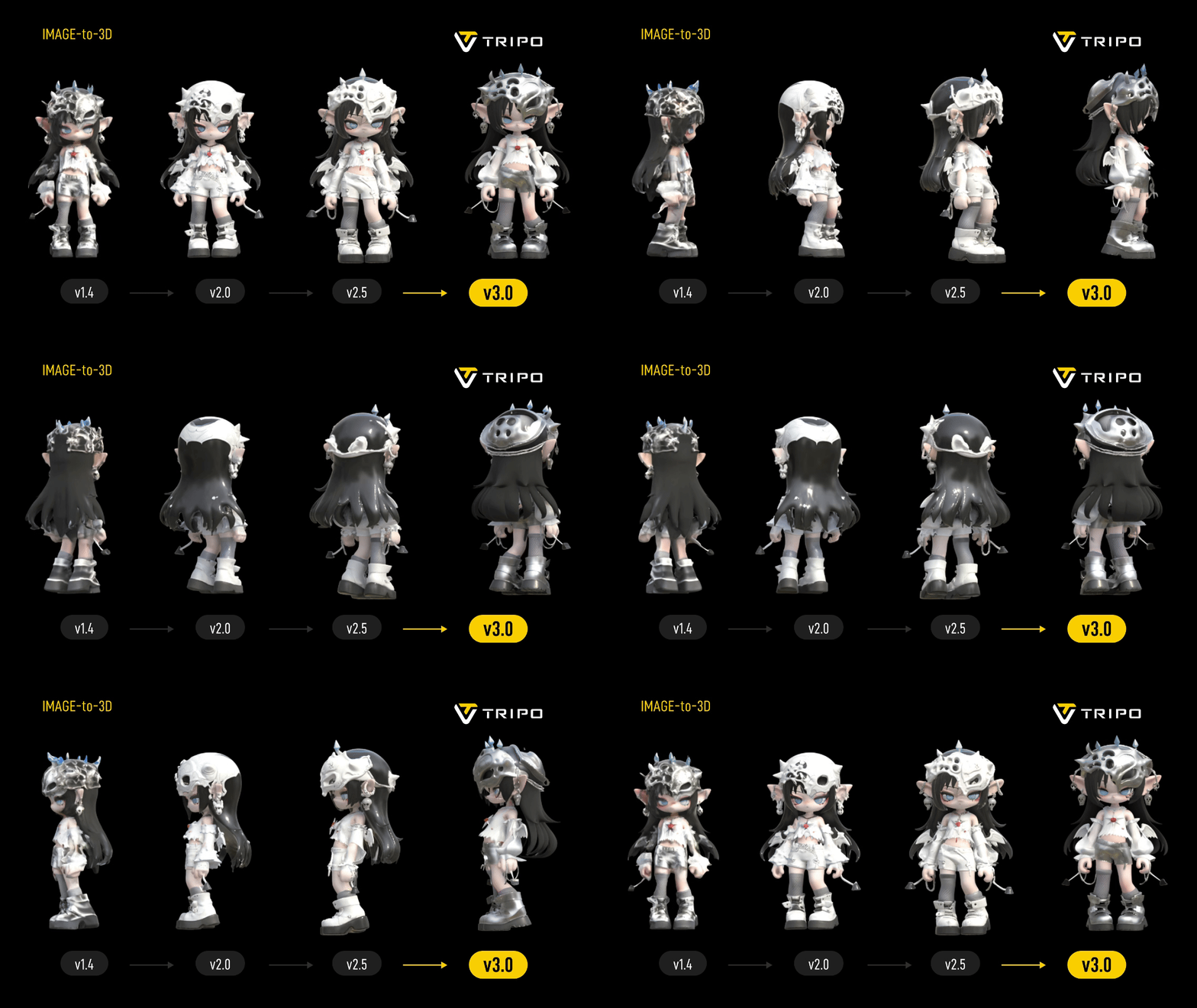
The workhorse model handles the everyday jobs - props, vehicles, stylised characters, packaging mockups - with cleaner surfaces and noticeably better text and engraving reproduction than earlier versions.
Where the quality holds up
Props, weapons, furniture, vehicles, packaging, collectibles, stylised creatures - all strong. H3.1 in particular holds detail at close range, which is where most AI generators fall apart. Texture work is the quiet win: diffuse, roughness and normal maps come through the export correctly, so assets land in Unreal or Blender looking right rather than needing a material rebuild.
Where it breaks down
Topology under deformation. Testers report fused vertices and overlapping faces at joints, and triangle distribution that doesn't survive skeletal animation past moderate rotations. Auto-rigging inherits those problems - weight painting goes wrong at shoulders and knees, and meshes can tear. Faces and hands remain inconsistent, as they are across every generator in this category.
How it works, step by step

1Prompt, image or sketch
Type a description, upload a single photo or concept render, or feed it a rough sketch. Sketch-to-3D is genuinely useful for designers who think on paper, and multi-view input gives the model far more to work with than a single angle.
2Pick your model, generate
Choose Smart Mesh P1.0 for speed, v3.0 Ultra for balance, or H3.1 for detail. Results come back in seconds, and Pro plans allow 10 concurrent tasks so you can queue a whole set of variations at once.
3Refine in Studio, then export
Segment the model into parts, repaint textures with Magic Brush, run Smart Low Poly to hit a polygon budget, auto-rig humanoids and export a T-pose. Then download as GLB, FBX, OBJ, USD, STL or 3MF - or pull it straight into Blender, Unity, Unreal or Godot via plugin.
Features that actually matter
2–10 second generation
Fast enough that iterating feels like sketching. This is Tripo's single biggest advantage over every rival.
Smart part segmentation
Split a generated model into logical parts - swap a weapon handle, recolour one panel - without cutting geometry by hand.
Magic Brush 2.0
Paint texture changes directly onto the model in the browser instead of round-tripping to Substance.
Smart Low Poly
Automatic retopology down to a workable polygon budget - the bridge between a 2M-poly sculpt and a game asset.
Auto-rig & T-pose export
Reliable on standard humanoids. Great for blockouts; verify weights before animating anything important.
API & engine plugins
Documented API on separate billing, plus Blender, Unity, Unreal and Godot plugins for bulk pipelines.
Tripo AI pricing (2026)
Credits are the unit of account, and the model you choose determines how fast you burn them. Annual billing runs roughly half the monthly rate.
| Plan | Price | Credits / month | Concurrent tasks | Rights & storage |
|---|---|---|---|---|
| Free | $0 | 200 (~8 models) | 1 | No commercial use · models public · 10 model storage |
| Pro BEST VALUE | $19.90/mo · $167.16/yr (≈$13.93/mo) | 3,000 (~120 models) | 10 | Private models · commercial use · unlimited storage |
| Max | $89.90/mo · $647.28/yr (≈$53.94/mo) | 25,000 (~1,000 models) | 100 | Private · commercial · unlimited storage |
| Team | $109.90/seat/mo · $1,978.20/yr per seat | 45,000 (~1,800 models) | 200 | Private · commercial · unlimited storage |
The API is billed separately from these web plans, so factor that in if you're automating generation. Prices verified against Tripo's pricing page in August 2026 - confirm on the live page before subscribing, as promotional annual discounts change.
Pros and cons
What we liked
- Fastest generation in the category - 2 to 10 seconds, not minutes
- Three model tiers let you match cost and quality to the job
- Excellent PBR texturing that survives export intact
- Studio tools go beyond generation: segmentation, Magic Brush, Smart Low Poly
- Sketch-to-3D and multi-view input, not just text and single images
- Six export formats plus Blender, Unity, Unreal and Godot plugins
- Pro tier is strong value - 3,000 credits and 10 concurrent tasks for $19.90
What held it back
- Topology struggles under deformation - fused vertices and overlapping faces at joints
- Auto-rigging inherits those flaws; weights misbehave at shoulders and knees
- Hero characters need 1–4 hours of retopology before animating
- Free plan blocks commercial use and makes models public
- Only ~8 models a month on free - thin for proper evaluation
- API billed separately from web subscriptions
- Faces and hands remain inconsistent, as with every generator
Who should use Tripo - and who shouldn't
Worth it for
- Indie and mobile game devs generating props, clutter and environment pieces at volume.
- Anyone doing bulk asset generation - concurrent tasks and per-credit value are the best in class.
- Designers who sketch - the sketch-to-3D path turns a napkin drawing into a form study in seconds.
- 3D printing and collectibles - H3.1's density holds up under close inspection.
- Prototypers and pitch decks where the asset needs to look right in a render, not deform in an engine.
Not worth it for
- Animation-heavy character pipelines - the rigging and topology aren't there yet.
- Anyone needing zero-cleanup production assets straight out of the generator.
- Free-tier commercial work - the licence simply doesn't allow it.
Tripo vs the alternatives
| Tool | Starting price | Strength | Free tier | Our score |
|---|---|---|---|---|
| Tripo AI | Free · $19.90/mo | Speed and volume - seconds per model, three quality tiers, deep Studio tooling | Yes - 200 credits, non-commercial | 4.3 |
| Meshy AI | Free · $20/mo | Best all-rounder: watertight print-ready meshes, strong texturing, commercial-friendly free tier | Yes - 100 credits, CC BY 4.0 | 4.5 |
| Luma AI | Free · paid tiers | Capturing real objects and scenes from video rather than generating from prompts | Yes | 4.2 |
| Rodin (Hyper3D) | Free · paid tiers | Detail-heavy sculpts and character work | Yes | 4.2 |
| Blender (manual) | Free | Total control, correct edge flow, no licensing ambiguity | Free forever | - |
Tripo or Meshy?
They're closer than the scores suggest, and the right answer depends on volume. Choose Tripo if you generate a lot - the credit allowance, concurrency and second-scale turnaround make iteration nearly free, and the Studio tooling gives you more post-generation control. Choose Meshy if you generate occasionally and want the cleanest possible result per attempt, especially for 3D printing, or if you need a free tier that permits commercial use with attribution. Plenty of studios pay for both and route jobs by type.
Final verdict: is Tripo AI worth it?
Yes, for props and volume - with eyes open about characters. Tripo has effectively removed the cost of trying an idea in 3D. When a model takes ten seconds, you stop rationing attempts, and that changes what you're willing to build. For environment art, product mockups, collectibles and prototyping, it's one of the strongest tools available at the price.
What it hasn't solved is the hard part of 3D: topology that deforms correctly. If your pipeline ends at a render or a print, that limitation may never touch you. If it ends at an animated character, budget the retopology time honestly and treat Tripo as a very fast blockout stage rather than a finishing tool.
Start free, generate eight models that reflect your actual work, and see how many survive a light cleanup. If most do, Pro at $19.90 is an easy yes.
Test it on your own prompts
The free plan gives you 200 credits - around eight models - which is enough to judge whether the quality fits your pipeline before paying anything.
Visit Tripo AI →Frequently asked questions
Is Tripo AI free to use?
There's a free plan with 200 credits a month, roughly eight models. Generated models are public and commercial use isn't permitted on the free tier - you need Pro ($19.90/month) or higher for private, commercially usable assets.
How fast is Tripo compared to other generators?
Very fast. Depending on the model you choose, generation takes about 2 to 10 seconds - Smart Mesh P1.0 is the quickest, H3.1 the slowest and most detailed. Most competitors take a minute or more.
What file formats does Tripo export?
GLB, FBX, OBJ, USD, STL and 3MF, covering Unity, Unreal, Blender, Godot, USD pipelines and 3D printing slicers.
Can I animate Tripo models?
You can auto-rig humanoids and export a T-pose, which works acceptably for blockouts and simple motion. For production animation, expect to retopologise first - testers consistently report weight and deformation problems at joints on raw generated meshes.
Which Tripo model should I use?
Smart Mesh P1.0 for bulk low-poly game props, v3.0 Ultra for everyday work, and H3.1 when the asset will be seen up close - hero props, collectibles and detailed prints.
Is Tripo better than Meshy?
Tripo wins on speed, credit value and post-generation tooling. Meshy edges ahead on out-of-the-box mesh cleanliness, print readiness and free-tier licensing. If you generate at volume, Tripo; if you generate occasionally and want the best single result, Meshy.
Product images courtesy of Tripo. Pricing, model versions and feature details verified against Tripo's official pages in August 2026 and may change - confirm on the vendor site before purchasing. This review may contain affiliate links; it does not affect our scoring.